




About

Release date

July 6, 2024

Publisher

ALVR Team

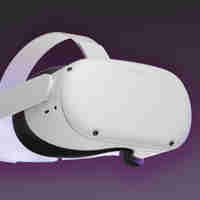
Play your favorite PCVR games on your Meta Quest, wirelessly.

This app requires a PC streamer app. You can download the latest release at https://github.com/alvr-org/ALVR/releases

ALVR is opensource and community maintained. If you need help or you want to help with development you can join our Discord server at https://discord.gg/ALVR

Show more Show less

Recent store observations

Up to 20 recorded version and rating changes from the past 90 days. Dates show when AltLab observed a value, not when the developer released an update. Our tracking may have gaps.

Observed on Store data Recorded value
Rating count 162
Rating count 161
Rating count 160
Rating count 158
Rating count 157

Supported platforms

Additional details

Genres
Player modes
Game modes
Languages

Ratings & reviews

3.75

162 ratings

Oculus rating

Player reviews

Cpt.McCartman

August 31, 2025

4/5

A HUGE thanks for Linux compatibility!

I love ALVR for the Linux support! I just had to read the setup instructions and I was up and running in all of about 5 minutes. I love the (nearly) endless possibilites in configuration and tweaking and I really like the look and feel of using ALVR. However, if I have to take my Headset off for a moment and it goes to stand-by, it does not resume seamlessly. There are many, many connection losses an automatic reconnect attempts until it decides to somewhat work again but in reality I have to restart SteamVR/ALVR to reconnect cleanly. But when it works, it works like a charm! I really would like to see a kind of profile management option like profile 1 is aimed at lower graphics and higher refresh rate and profile 2 is the other way around so I don't need to dial in all the settings manually everytime. Keep up the good work!

52 found this helpful

MobileDecay

June 17, 2025

5/5

The reason I was able to switch to Linux

This app is awesome. VR was one of the few things stopping me from ditching Windows. I heard vr was possible with ALVR but it was really complicated. That's old news though! I was up and running playing my favorite VR titles immediately. Most important was Automobilista 2 with my wheel and pedals. I just had to add an argument into Steam VR so everything would show up. A lot of great settings to tune to get the best image and frame rate. I'm running this flawlessly on CachyOS! I downloaded WlxOverlay so I can see my desktop. 😃

46 found this helpful

fabian.390377

November 6, 2025

1/5

How do i fix

im on the pc app and on the quest app and it is not finding my headset

27 found this helpful

ryvieee

September 20, 2024

5/5

I LOVE LINUX

ty alvr the goat i can do pcvr on linux baby WOOOO

27 found this helpful

swingkid0834

April 8, 2026

5/5

peakkk

actually so good, my trash pc can basically run anything because of this love it sm

22 found this helpful

Show all reviews on Meta

Related games

WiVRn WiVRn
  • Utilities
  • Computer Link
WiVRn

Free

Discover

Browse

Blog