Putt Dojo | Real Ball Golf Putting

About

Release date

September 30, 2024

Publisher

xr.golf

Requires Meta Quest 3 or Quest 3S.

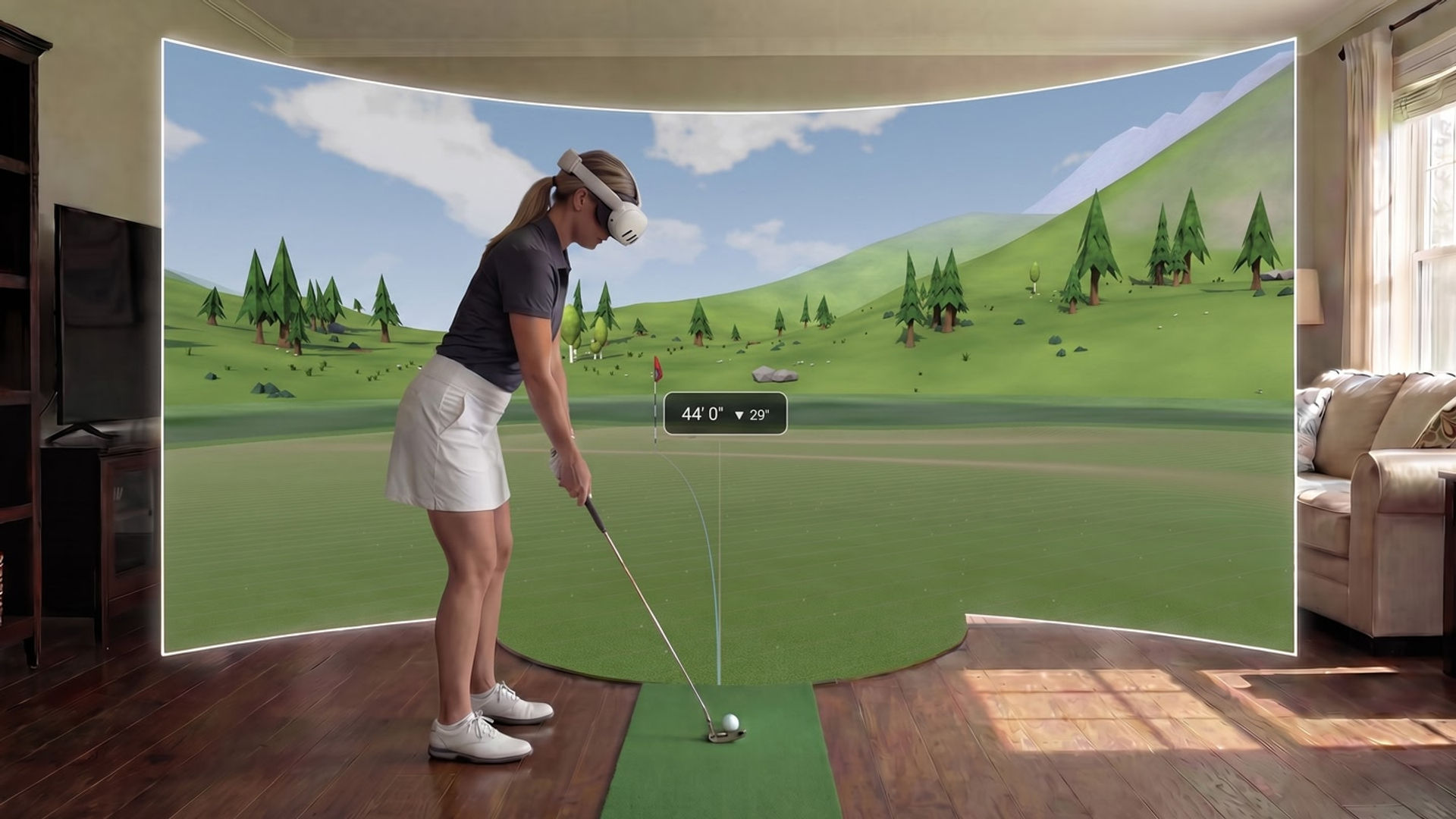
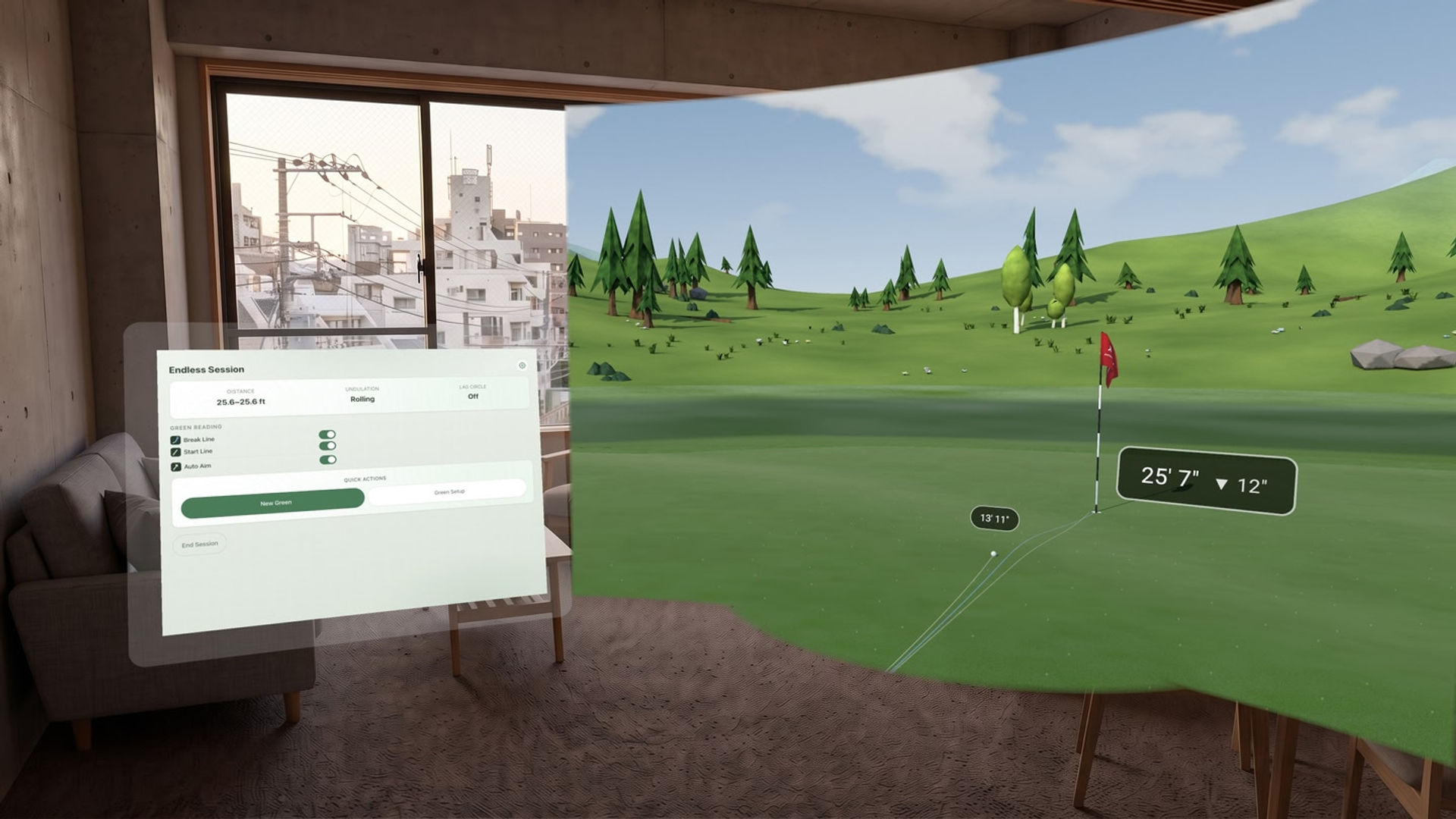
Turn your living room carpet into a Tour-quality practice green with Putt Dojo, a putting simulator that tracks your real golf ball as you putt. Like magic, your real ball rolls through a portal onto a virtual green, reacting to the speed and contours of the simulated surface.
{"height":1440,"type":"image","width":2560}

Whether you're working on start line, speed control, or a consistent stroke, Putt Dojo is built for golfers who want meaningful practice at home.

What you'll need

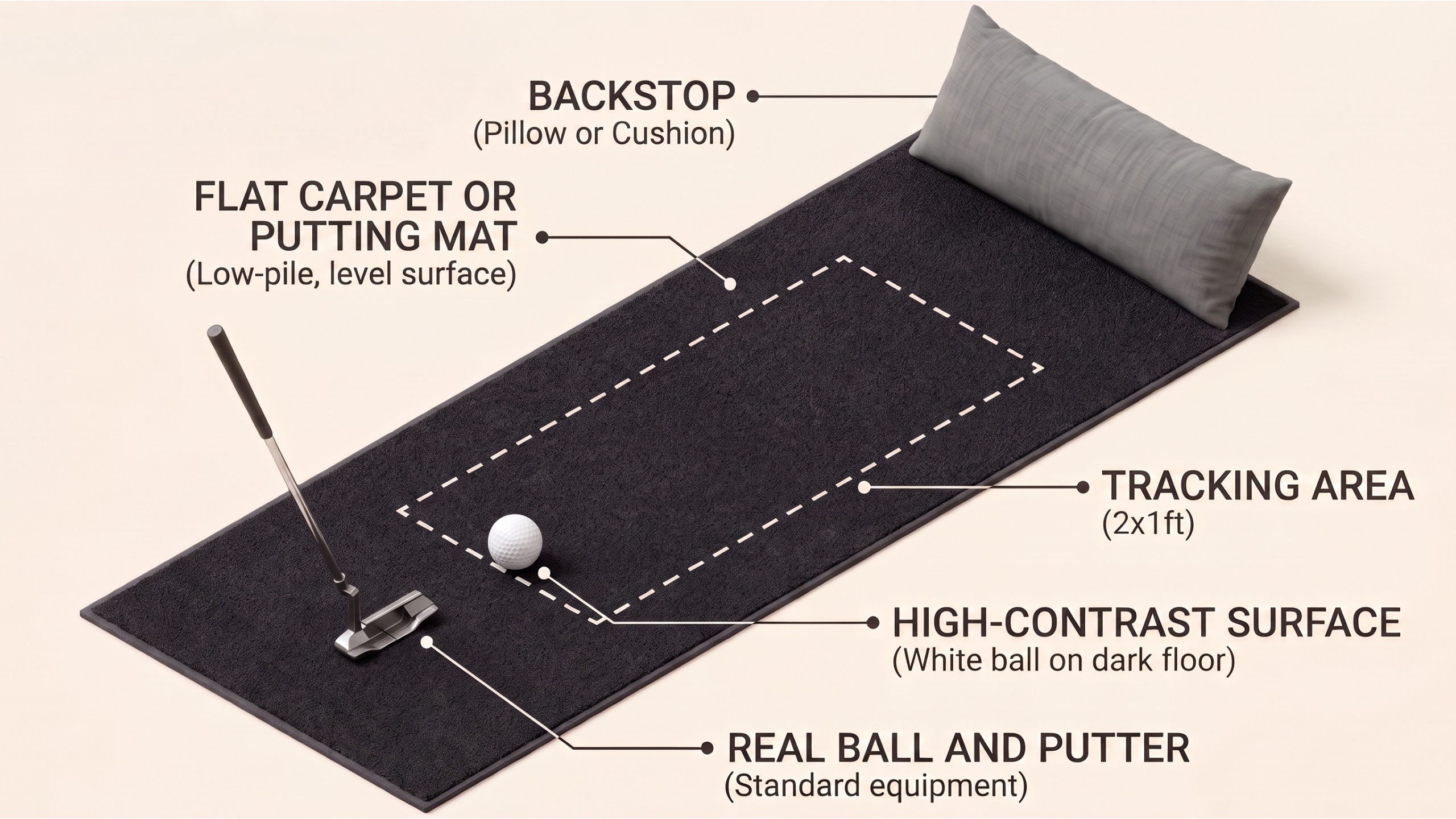
  • A Meta Quest 3 or Quest 3S
  • A real putter and golf ball
  • A putting mat or flat carpet that contrasts with the ball
  • A backstop or cushion to stop the ball rolling away

Game Modes (More Coming Soon)

  • Endless: An endless stream of uniquely generated greens with tunable settings.
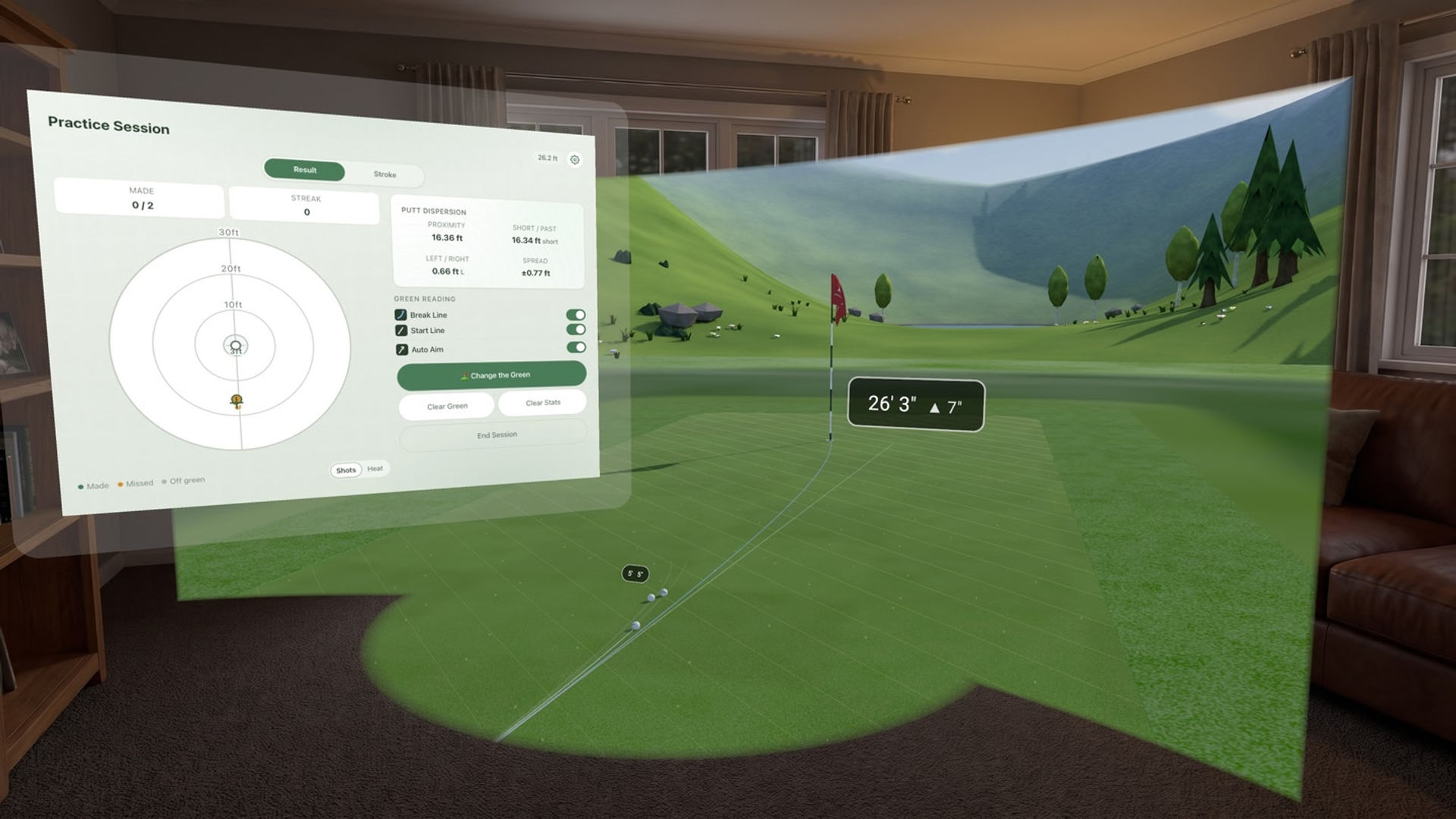
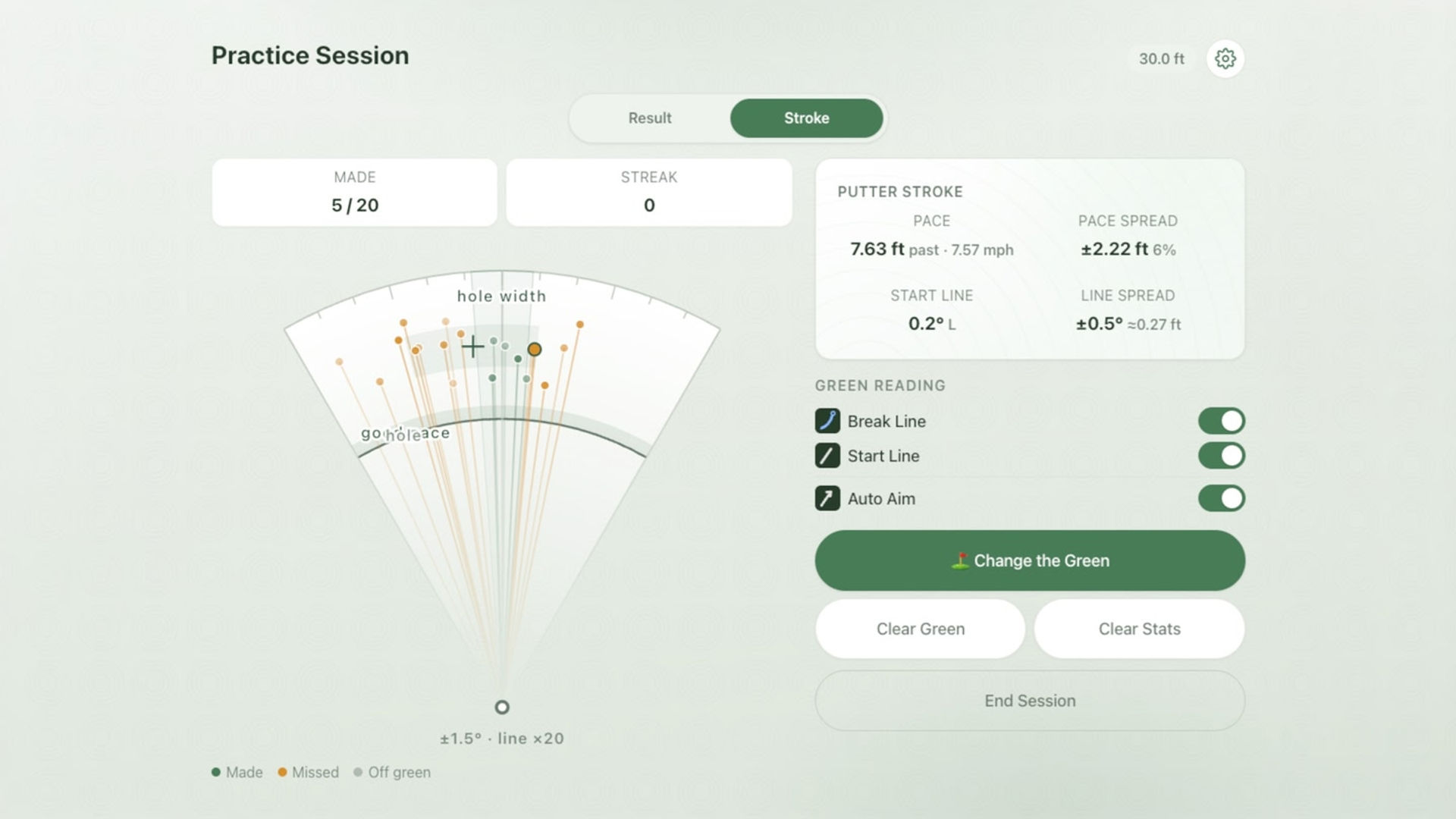
  • Practice: Set up a custom putt and visualize your dispersion.
  • Ladder Drill: A progressive distance drill to dial in your speed.
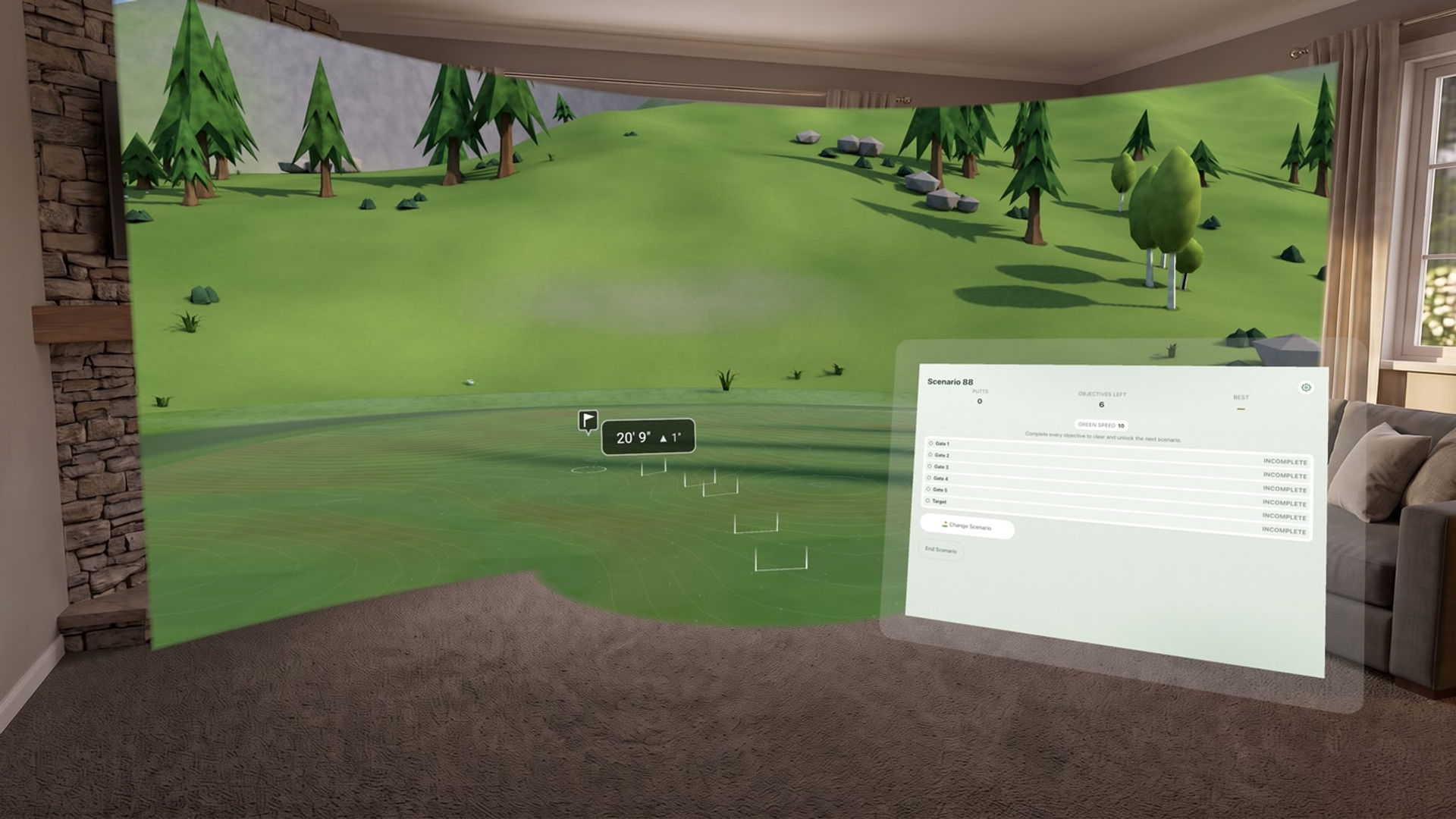
  • One Putt Challenge: 100 scenarios of increasing difficulty.

Developer's Note

Hi, I'm the creator of Putt Dojo - the original real ball putting sim in VR. I've spent several years crafting it to a high quality bar, and chose a one-off purchase because it feels fairer than a subscription. Feedback and suggestions are always welcome.

👉 Join the Discord to suggest features and shape what's next: https://discord.gg/wkDcwCEBzJ

Show more Show less

Supported platforms

Additional details

Genres
Player modes
Game modes
Languages

Ratings & reviews

4.45

37 ratings

Oculus rating

Updates

How to Set Up Putt Dojo for Perfect Tracking

March 5, 2026

Putt Dojo is the first app on Meta Quest 3/3S to use the onboard cameras to track a real golf ball. That makes it unique, but also means it will require a bit more setup than an ordinary VR game. The latest version of Putt Dojo features an in-app Space Setup Wizard that makes setup a breeze. This…

New Feature Just Dropped: Real Ball Putting

May 28, 2025

You can now putt a real golf ball directly on your headset - no extra setup required. Using custom computer vision on the Quest 3 / 3s passthrough feed, your real ball is tracked natively, right from the headset. Just place your ball, take your stance, and putt. 🏌️ Real ball. 📷 Native tracking.…

Player reviews

DSJ51

February 8, 2026

5/5

Excellent practice tool

While the lines showing the track of each putt is very useful I am finding the clutter of balls around the hole a distraction. An option to hide the balls but keep the lines would be most welcome. Otherwise very pleased with my purchase. EDIT: Superb response from developer. Issue sorted very quickly and review upgraded to 5 stars. EDIT: Recently I have been having issues with inconsistent ball speeds where the same putting stroke results in massively different distances. I could live with the odd glitch but this is happening far too often making the app unusable. Could it be something to do with set up or lighting? Much as I love the potential that this app has to continue using it with the issues I am having is counter productive. EDIT: Once again an excellent response from the developer (thank you). My issues were clearly linked to inadequate care during set up and maybe using a ball with too many markings on it. I really love this app so very pleased to have got it working normally again. Back to 5 stars!

5 found this helpful

Husalife

January 4, 2026

5/5

Amazing app with tons of potential.

Set up was a bit confusing at first but once you figure controls out and get the green set up it is stunning. Great feel and feed back. Yes there is a bit of room for improvement or adding a few more options "multi-player would be fabulous so we can stand and talk and putt, a putt putt course type green that ypu proceed through with each putt. This App has soo much potential! Keep building it up yall, it can only get better.

5 found this helpful

Lagoonies41

December 27, 2025

5/5

Legitimately Impressive

Even after reading some quite positive reviews, I didn't expect this to work as well as it does. I used it on my 12ft putting mat, and the app had no issues tracking my ball. Setup is quick, easy, and intuitive, and surprisingly accurate. I tested it against real-life shots, and after dialing in green speeds, I would watch the virtual ball roll in the hole at the same time I'd hear my real ball hit the back of the cup. As an at-home practice aid, this is already quite incredible, and I look forward to seeing this app get even better in the future.

4 found this helpful

RosieP69

September 29, 2025

5/5

Excellent work in progress

Yep, there are a few mistracking issues and set up requires good lighting, dark mat, white ball etc. However, considering the fact that you can use a real putter, and the putting simulator I was going to buy is 500 euros, great experience! The dev is also super responsive on Discord.

4 found this helpful

JR4D

July 27, 2025

5/5

Excellent.

I've been wanting to build a putting green for a while now but haven't yet because of the price and space it takes up. I saw this app featured on uploadvr and it was a no brainer to download. Off the bat, I noticed that the system didn't recognize the ball above my carpet because my carpet was a little too close to the color of the ball. I ended up placing the ball off on top of dark mat to ensure the contrast was good enough and from there, everything worked very well. Overall, it's pretty incredible. The UI, while it can use a bit of a face lift and hand tracking isn't perfect, is intuitive enough. The tracking feels accurate and the mixed reality nature of everything is awesome. Having your wall turn into a window to a putting green is one of those things I love about this technology. In it's current form, it's solid and worth more than what they're asking. Despite it being solid, I'm really hoping they expand on the overall experience. Suggestions to the dev team: -add detailed putt stats (ball speed, launch direction, distance, putter path and impact angle if possible) -add real course greens and a more detailed background environment -gamify the experience by adding additional games/multiplayer. The opportunities for mini games are completely endless. just make sure to avoid making it cheesy.

4 found this helpful

Show all reviews on Meta

Related games

Hard Drive Hard Drive
  • Action
  • Sports
  • Racing
  • Fighting
  • Arcade
  • Hangout
Hard Drive

Free

Discover

Browse

Blog