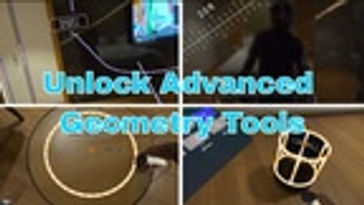
Reality Ruler Update.
November 16, 2025
Scan Room from within the app. Supports multi room objects. Updated UI. Upload Image and clock tools. Decimal to fractional Conversion. Improved Save and load feature.



Unlock the potential of spatial comprehension with Reality Ruler: 3D Measurement in Mixed Reality (MR)! Our app harnesses the pass-through mode of your device, transforming your surroundings into a digital workspace for precise measurement.
Key Features: Measure Line Lengths: Sketch lines in real-world space and instantly obtain their lengths. Area Calculations: Assess the area of polygons, rectangles, and circles with intuitive gestures. Angles: Obtain accurate angles between intersecting lines in three-dimensional space. Volumetrics: Estimate the volume of 3D shapes such as cuboids, cylinders, cones, and spheres. Reality Ruler boasts an intuitive interface and streamlined controls, ensuring accessibility for users of all backgrounds. Whether you're a student mastering geometry, a craftsman planning a project, or simply intrigued by spatial awareness, Reality Ruler offers a precise and interactive means to measure the world around you.
Transform your headset into a sophisticated measurement tool with Reality Ruler: 3D Measurement in MR. Enhanced Features: Save and Load Measurements: Preserve and retrieve your measurements effortlessly. Height Estimation: Determine the height of objects or rooms with ease. Customization: Personalize line colors and widths to suit your preferences. Room Layout Visualization: Gain insight into room layouts based on measured dimensions. Image Upload: "Import and anchor your own reference images directly into your space." Clock Placement
November 16, 2025
Scan Room from within the app. Supports multi room objects. Updated UI. Upload Image and clock tools. Decimal to fractional Conversion. Improved Save and load feature.
May 1, 2025
Good accuracy given it's in mixed reality, desperately needs a few things: A: To be collaborated with and built in to the app "Visual Scale". Probably a no go but a boy can dream B: DESPERATELY needs a SNAP TO feature! Consider adding a special section for a point called a snap-point & snap-line where the users ray casts or controller snaps to a point/line if it gets within a certain distance of said point (then provide a toggle switch to turn snapping on and off) - this would make setting up grid lines for things like laying out pendant lights on a job site much more intuitive and has real commercial value! (should also have things like forced 90 degree triangles etc that expand and contract along the opposite/adjacent) C: for imperial offer a unit option that does them by fractions (ie displays 5-5/8" instead of a decimal point displayed) D: laser level, which basically acts as an ultra thin rectangle to the ceiling and floor of the space (this is actually already doable using the cuboid function but isn't nearly as clean, it should ideally be parallel to the walls detected in the space & this is a humongous missed opportunity on the part of Meta's own layout app. E: color swatcher of 6 standard colors as well as the color dials for measurements so they can be consistently colored from measurement to measurement based on grouping. Great app! I'm already blown away by its real world applications. Let me know if you'd like some real in field bug testing & videos done I'd be happy to do it for free as a beta tester!
6 found this helpful
October 6, 2025
I manually set walls and now I can't rescan the room, no matter what. The home screen is missing the "scan room" button. Edit: I discovered that it is possible to reset the room throughout quest settings, but it is not explained at all in the app, that wrongfully invites you to scan again the room with a non-existent button in the menu.
5 found this helpful
December 26, 2023
This needs an option for left-handed users. Other than that, it's very cool and useful. But it definitely needs a few more of its edges rounded. It can be tough to measure objects, as you can't influence the height of the endpoint of a line. So it can jump up and down, based on what the camera sees. that makes you measure a diagonal, when you try to measure a straight edge of an object like a bed. Also, it constantly shows your boundaries when you get near, even though you're always in passthrough when using it. The boundaries shouldn't even be active. But the actual measuring is still really precise and easy, when it works. It just currently only works perfectly on empty surfaces, inside your boundaries. Already great for a free app, and a great way to measure rooms and objects.
5 found this helpful
November 12, 2023
I have tried to measure the recent purchased standing table which is 2.5 feet height and width is 2ft, When I cross verified the lengths with the App, height is 2.49 ft and width is 1.99ft which is very close to actuals. Absolutely realistic App. I have not tried all the functionalities yet, but till now it is the best app in pass through mode. fabulous job by the developers, keep it up...
5 found this helpful
July 31, 2025
I do not find a way to measure a new room. It says in the "Home" menue, but nothing works here... I could not delete the old room or add another one... maybe someone has a hint!
4 found this helpful

$19.99

Free

Free

Free

Free