About

Release date

January 30, 2018

Publisher

Amit Chai

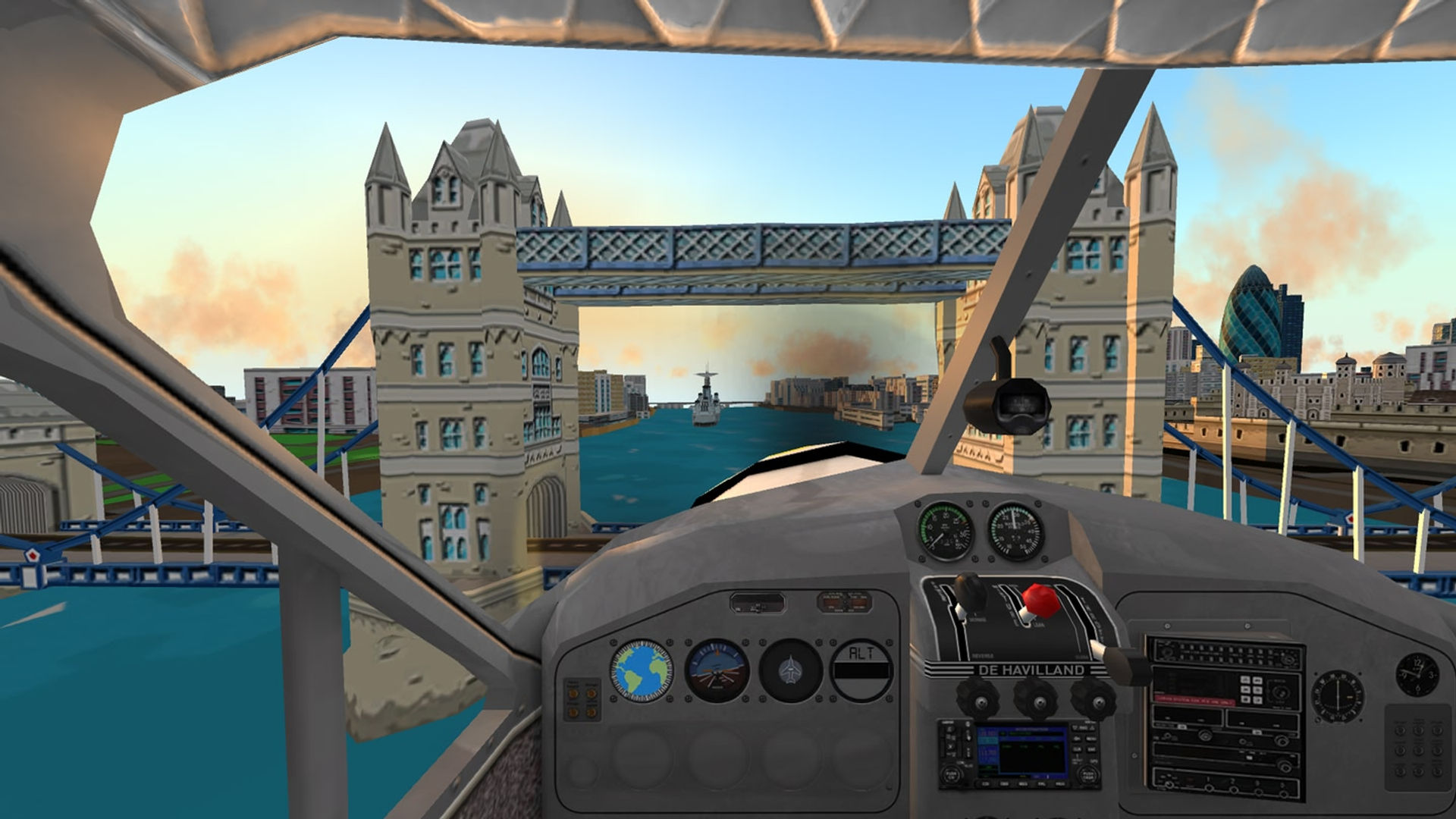
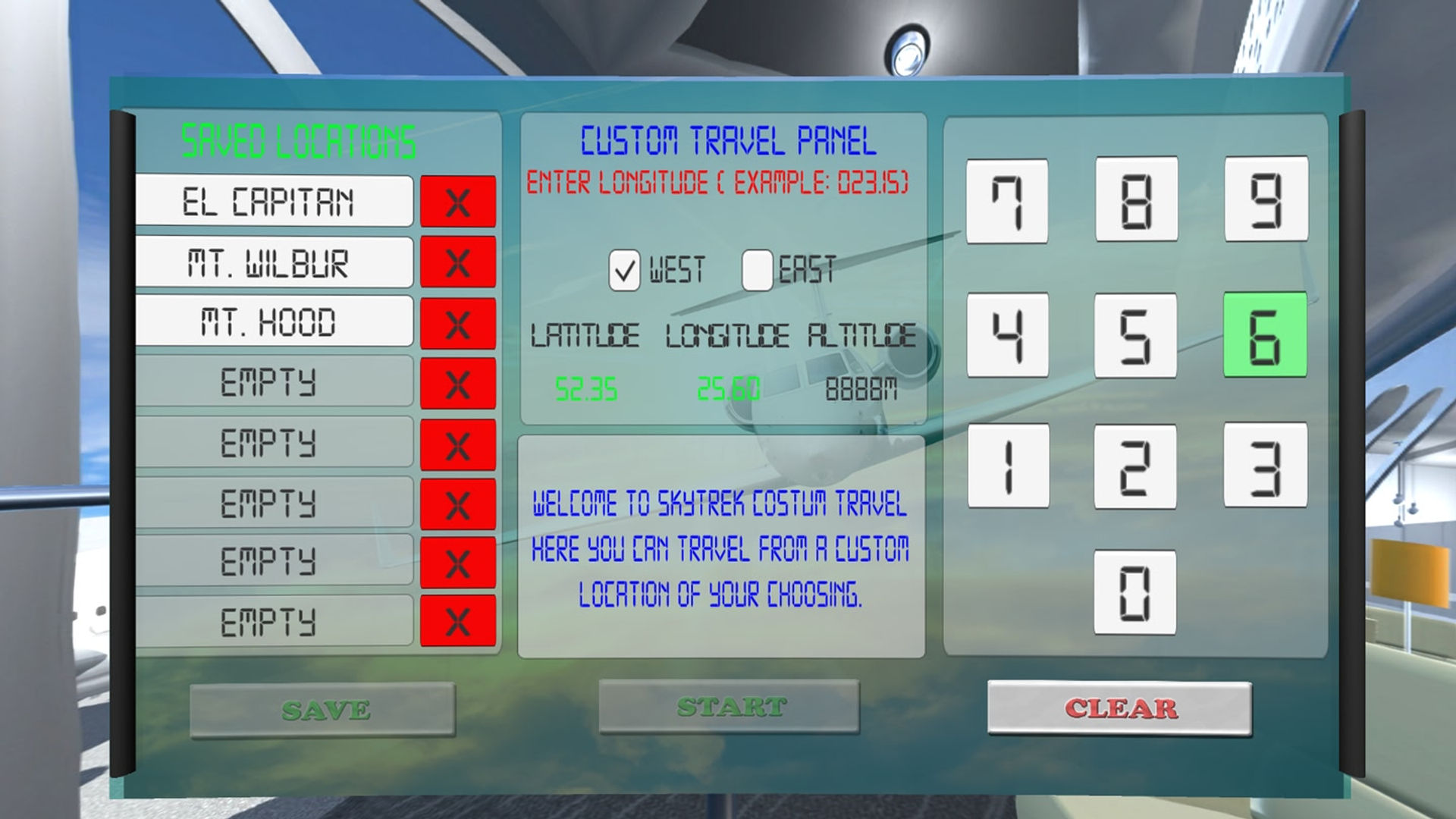
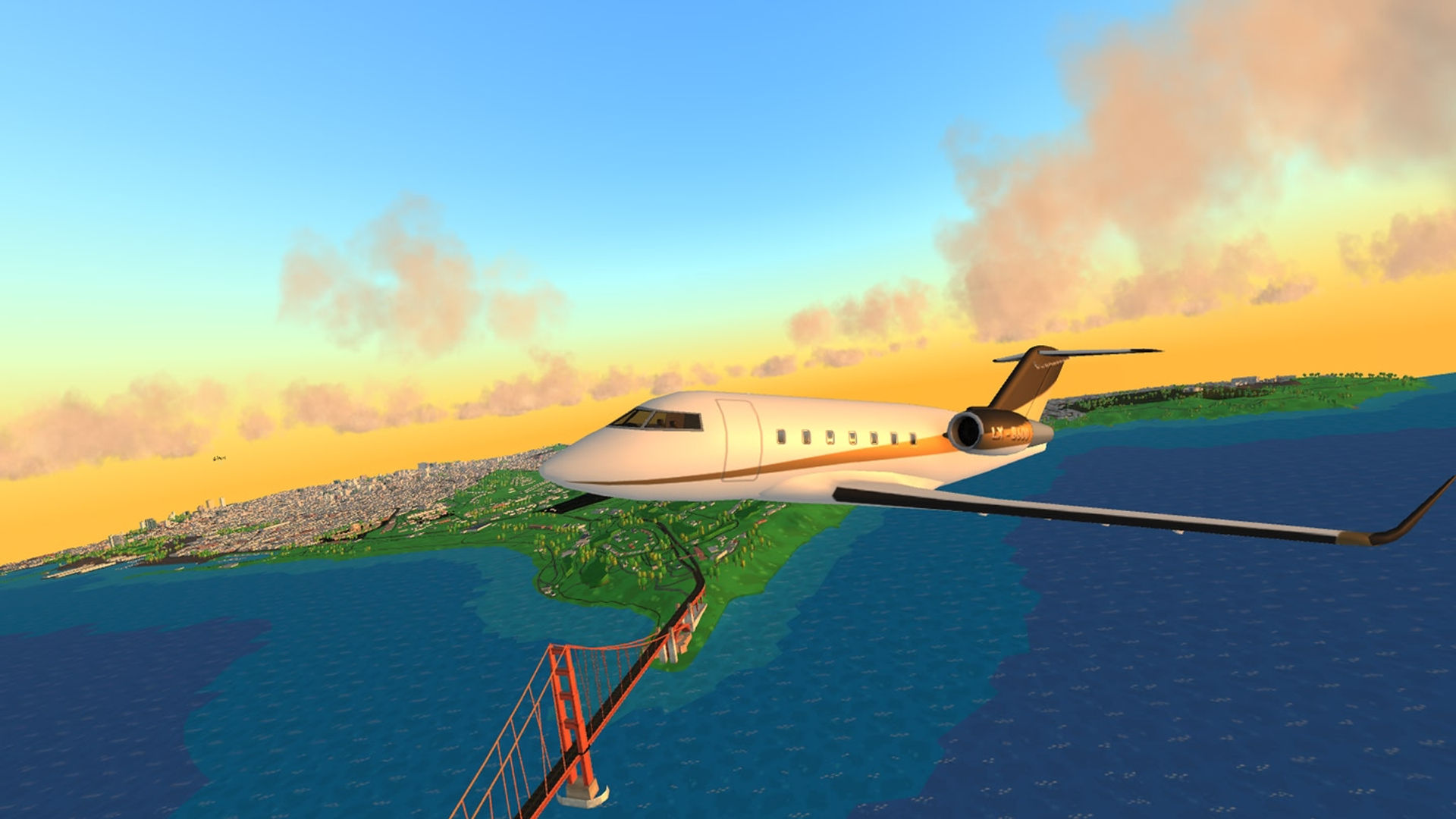
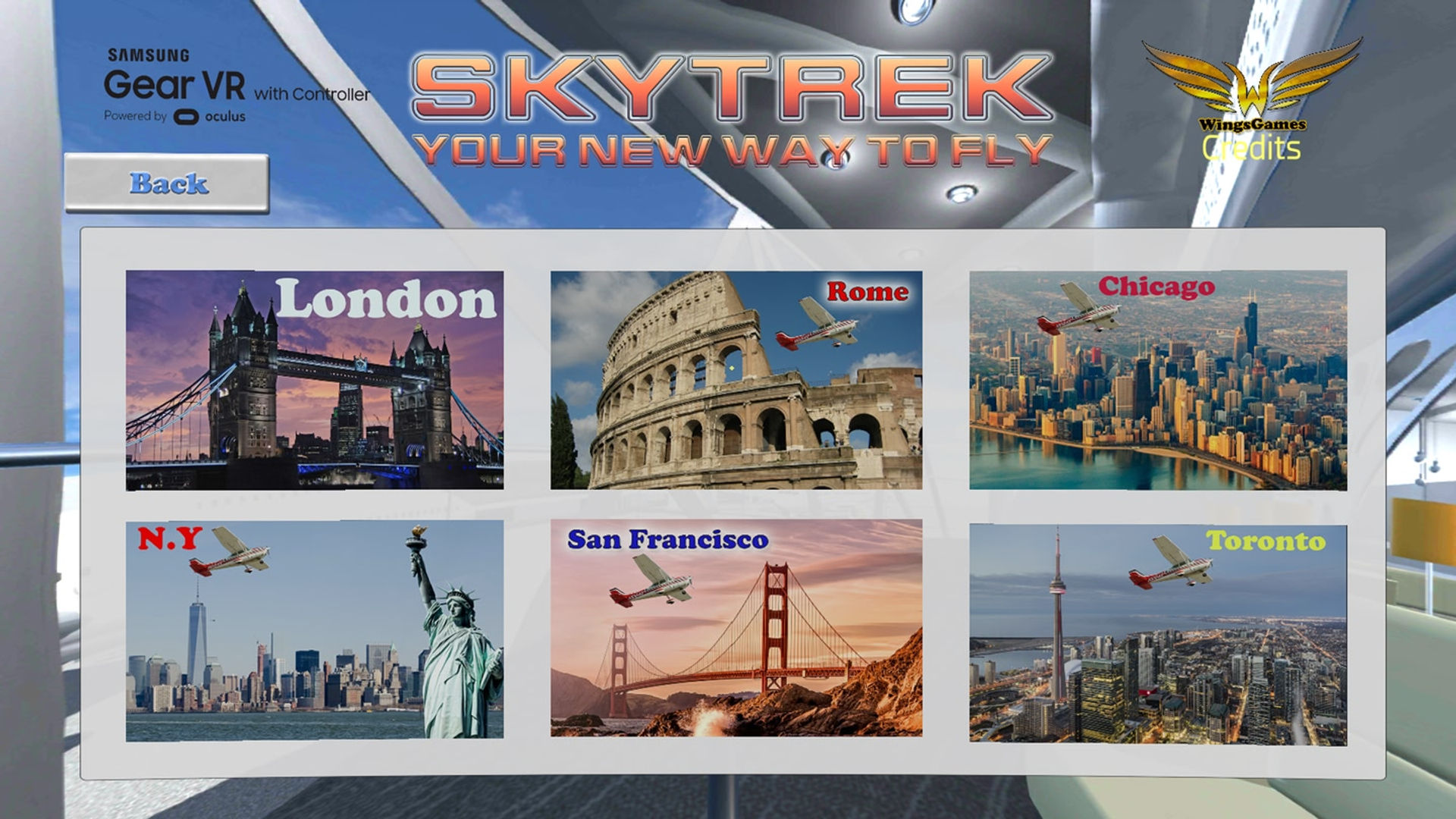
SkyTrek is a flight simulator, with a real-world dynamic mapping. 6 missions will take you to N.Y, London, Rome, San Francisco, Chicago & Toronto. Each map contains different points of interest like "Statue of liberty", "Coliseum", "Tower Bridge" and many more. With GPS Locator you can start your exploration anywhere in the world. Simply use "My location" button, and fly by your home and neighborhood. You can also use custom coordinates to fly to any place you wishes to visit. *Currently map cover include The U.S, Canada, U.K, Italy, Norway, Sweden, more countries coming soon.

Show more Show less

Supported platforms

Additional details

Genres
Player modes
Game modes
Languages

Ratings & reviews

2.95

121 ratings

Oculus rating

Player reviews

DickDastardly

May 25, 2018

3/5

Cool but flawed

I have fairly mixed feelings about this experience. On the one hand, it's perhaps the most ambitious app in the Go store, allowing you to fly over most of Europe and America with accurately modelled 3d buildings (although they're auto-textured unlike the photo-wrapped buildings in Google Earth). The asking price is also very reasonable and if you're into flight sims, having an app that recreates at least part of the experience of something like FSX in a mobile headset you can take with you is pretty great. It's also impressive that all this is the work of a single dev. On the other hand, there are some pretty glaring flaws which currently stop me from rating it higher: Firstly, the cockpits are rendered 4 or 5 times the correct size so it looks like the instrument panel is 3 or 4 meters from your head (this totally destroys any feeling that you're in an actual plane, although it should be fairly easy for the dev to fix). Secondly, although the Go controller does a pretty good job of emulating a joystick (with rudder control on twist), the flight modelling is very very simplistic - it seems to be impossible to stall any of the aircraft; speed control via the touchpad is very janky (and it's impossible to fly slower than 2-300 knots which is too fast for sight seeing and unduly stresses the tile loading); there's no collision detection whatsoever; and there are no user controlled take offs or landings (when you get near an airport the plane autolands). Finally, performance isn't great. To be fair, headtracking is smooth throughout but the underlying simulation seems to be running at less than 20fps (a far cry from the silky smooth, though admittedly much less ambitious Ultrawings). Tiles also load in pretty late and there aren't any transitions or fades or even any rendering of distant terrain to which detail is added as you approach, rather one second there's nothing but a flat green grid and the next there's a square of terrain with buildings (which is pretty jarring and more or less forces you to fly at treetop height to reduce the visibility of unloaded tiles). Overall then, I think this has a lot of potential and I could easily see my rating rise to 5 stars with a fix for the cockpit scale issue, the ability to fly at less than half the current minimum speed, better throttle control (perhaps by drawing clockwise circles on the touchpad to increase speed and anticlockwise to decrease?) and some improvements to tile loading. It would also be nice to be able to select stuff in menus using the Go controller's trigger rather than having to click the touchpad, and to be able to select a starting location by clicking on a map rather than by laboriously entering latitude and longitude (which did at least work for me on the Go unlike other reviewers).

13 found this helpful

CaspersGhoul

February 12, 2018

3/5

Quite good

Quite a fun little game. The graphics are a bit more visibly drawn than what you see in say Ultra Wings on PSVR, which is fine. Just don't expect photo quality graphics or anything. It's a bit more like going on a joyflight than being an actual pilot. You control the plane just by looking in that direction. You don't actual take off and land it yourself, so that would be a great addition to it. Very cool to be able to fly over London Bridge and Buckingham Palace or the statue of liberty in NYC etc. It's be great to have some other locations like the Sydney Harbour Bridge and the Opera House in Australia along with Ulluru/Ayers Rock, the pyramids and sphinx in Egypt, the great wall of China, the grand canyon....Niagara Fall. Maybe have an option as you hit the centre of each of these locations, to view a 360° photo of them all, since doing super realistic graphics would be a huge call. That would be an easier way to get a great view of where you have just flown into. The dev of this game has made this entirely on his own, so he is quite open to suggestions to help make the game better and better. We should definitely support guys like this to encourage them to keep going and improve their skills. It's great to see someone just having a go at it, just for the enjoyment of it rather than the big companies going at it to make the rich, richer. Well done!

13 found this helpful

louie728

January 21, 2019

4/5

Worth it...

I really like the app, although it does get me a little motion sick.. I cant figure out how to land either :(

7 found this helpful

SirRealDeal

May 9, 2018

5/5

GPS?!?

Update 5/9/2918 I'm giving five stars anyway. Update did nothing. Game now asks for location permission but it doesn't matter. I allow it & then it still tells me to turn on location services. The Oculus Go has absolutely no way to do that. It's all permission per app. Every other app that uses location uses it just fine. But your obvious passion for your game & the fact that I enjoy the heck out of it regardless of location services brings you five stars. This game deserves five stars, really. What holds it back? Putting your own coordinates in the keypad simply doesn't work. At all. Clicking on GPS does nothing but tell me to turn on location services. No in game option to do that & I'm on Oculus Go & there are zero options to turn on location services. And.. the radio ring never goes away once you turn on the radio in-flight. Updating a few minutes later... I see the developer (Hello!) responds a lot here. Excellent. I just attempted to put in coordinates for Niagara Falls that you yourself posted here. To no avail. Evidently on the Go, altitude option never opens for keypad entry. Ever. It's quite disconcerting as the Free Flight option was a huge selling point for me. I don't want a refund as the game is excellent, otherwise. But other than all that, this game is great relaxing fun. I want to give five stars. Fix all that & I will.

6 found this helpful

ae2308

September 1, 2019

5/5

Great

As for me who never did any kind of flight sim it‘s just great. Using Oculous Go controllers it‘s quite easy to start and fun to play.

6 found this helpful

Show all reviews on Meta

Related games

Atopia Atopia
  • Travel & Exploration
  • Events
Atopia

Free

Discover

Browse

Blog